Multi-Source Support
Add a handful of playlists and manage each one on its own — switch any of them off without losing your setup.
Unified Library
Every source shows up in one library. No more jumping between apps to find what you want to watch.
SmartSwitch
OakPlayer ranks your sources by reliability and starts each title from whichever one is actually working — built to move you off a source that's failing rather than leave you stuck.
Fast Streaming
Built to start fast and stay smooth, even when your connection isn't at its best.
The real app, not a mockup
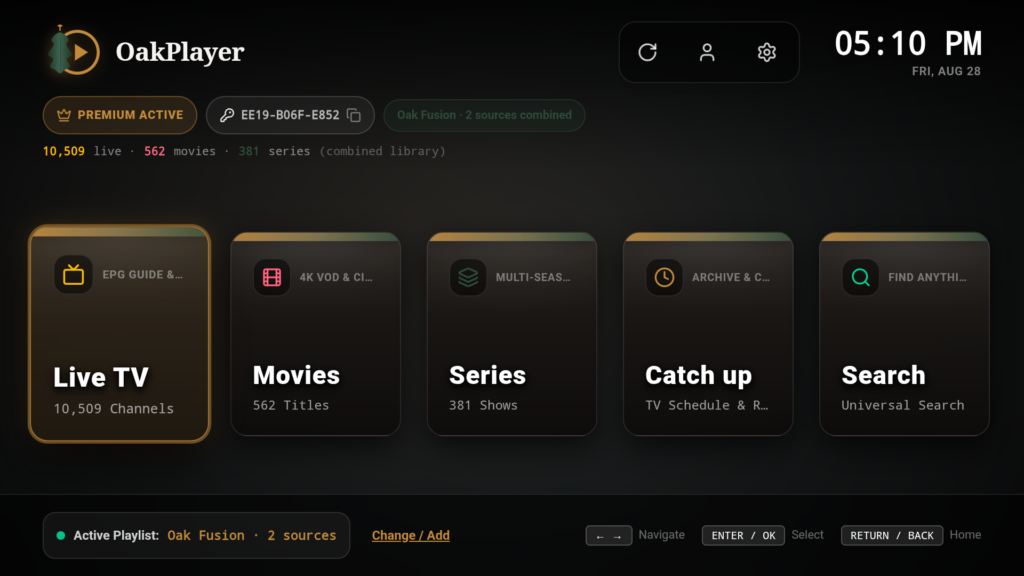
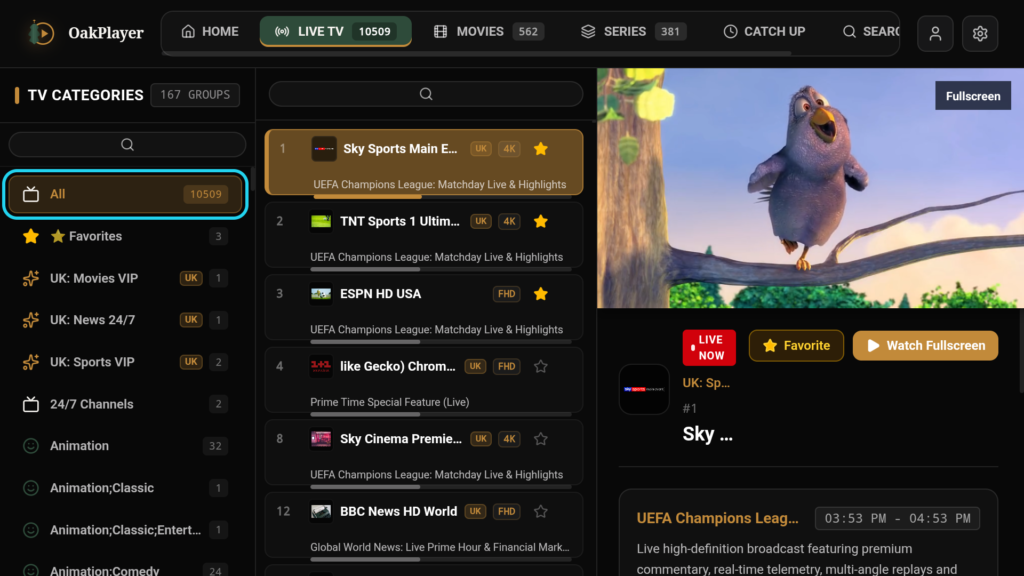
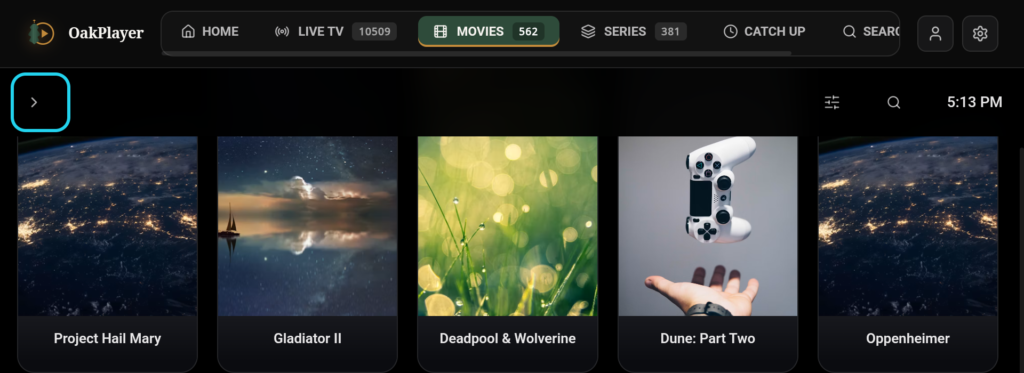
Oak Fusion & the Premium engine
Oak Fusion – Combine multiple sources
Add a few playlists and browse them like they were always one. Live TV, Movies, and Series all sit together, sorted the same way no matter where they came from.
Oak Clean Library – Remove duplicates
Same movie showing up on three different providers? Oak Clean Library spots it — using title, year, and IDs like TMDB/IMDb — and folds it into one entry. Open it once and OakPlayer already knows every source that has it.
Oak Smart Source – Pick the best source
When a title’s available from more than one source, OakPlayer reaches for whichever one is actually working best right now, not just the first on the list. It keeps track of what’s been reliable lately, so the pick gets better over time.
Oak SmartSwitch – Reliability-ranked failover
SmartSwitch is what decides which of your sources plays a given title in the first place — ranking them by real signals like startup speed, buffering, and past errors, not just “first one added”. It’s built to move you off a source that’s failing rather than leave you stuck. It only ever switches between sources you’ve added yourself — never anything you haven’t connected.
Multi-Source Support
Add several Xtream Codes or M3U playlists, each with its own priority and refresh settings. Having trouble with one provider? Switch it off for a while — no need to delete it or type your details back in later.
Unified Search
One search box covers every source you’ve enabled, and it won’t show you the same result twice.
Combined EPG
For channels that show up on more than one source, OakPlayer shows you the best programme-guide data available, instead of whichever loaded first — so what’s on now (and next) stays accurate.
Favourites, History & Continue Watching that follow the title
Your favourites, watch history, and Continue Watching are attached to the movie or show itself, not to whichever source happened to stream it. Turn off the source you originally watched something on, and a matching copy from another enabled source picks up right where you left off — nothing gets reset.
Secure credential storage
Your Xtream and M3U logins are encrypted on your device with the Android Keystore before they’re saved. They’re never stored as plain text, and OakPlayer doesn’t need them on any server to work.
Playback & compatibility
- Supported source formats: Xtream Codes API connections and standard M3U/M3U8 links — most typical IPTV provider formats.
- Live TV, Movies & Series: all three, with Series organised into seasons and episodes wherever the source supports it.
- EPG / programme guide: shown wherever your source actually provides it, combined across sources for channels that appear on more than one.
- Native player controls: subtitle and audio-track selection plus adjustable playback speed, built on Android's own ExoPlayer engine rather than a browser video tag.
- Devices: Android phones and tablets, Android TV, and Fire TV Stick — touch-friendly on mobile, with real D-pad/remote navigation (Leanback) on TV, not a touch UI stretched onto a TV screen.
- Playback engine: built for HLS and MPEG-TS with adaptive buffering, so a shaky connection doesn't mean a stuttering picture.
Free: one Xtream Codes or M3U source at a time, full Live TV/Movies/Series playback, EPG if your source has it.
Premium (Oak Fusion): all of that, plus unlimited combined sources, duplicate cleanup, smart source picking, reliability-ranked failover, cross-source search, combined EPG, favourites/history/Continue Watching that survive a source being switched off, priority updates, and zero ads.
Premium Experience
- Oak Fusion — combines your sources into one
- Oak Clean Library — clears out the duplicates
- Oak Smart Source — picks whichever stream is actually working
- Oak SmartSwitch — ranks sources by reliability and fails over automatically
- Unified favourites, history & Continue Watching — stick with the title, not one source
- Unlimited sources — add as many as you want
- Priority updates — new features land on your device first
- Ad-free — no ads, anywhere
- Secure & private — your logins stay encrypted on your device